What can I do if the platform isn't responding as usual?
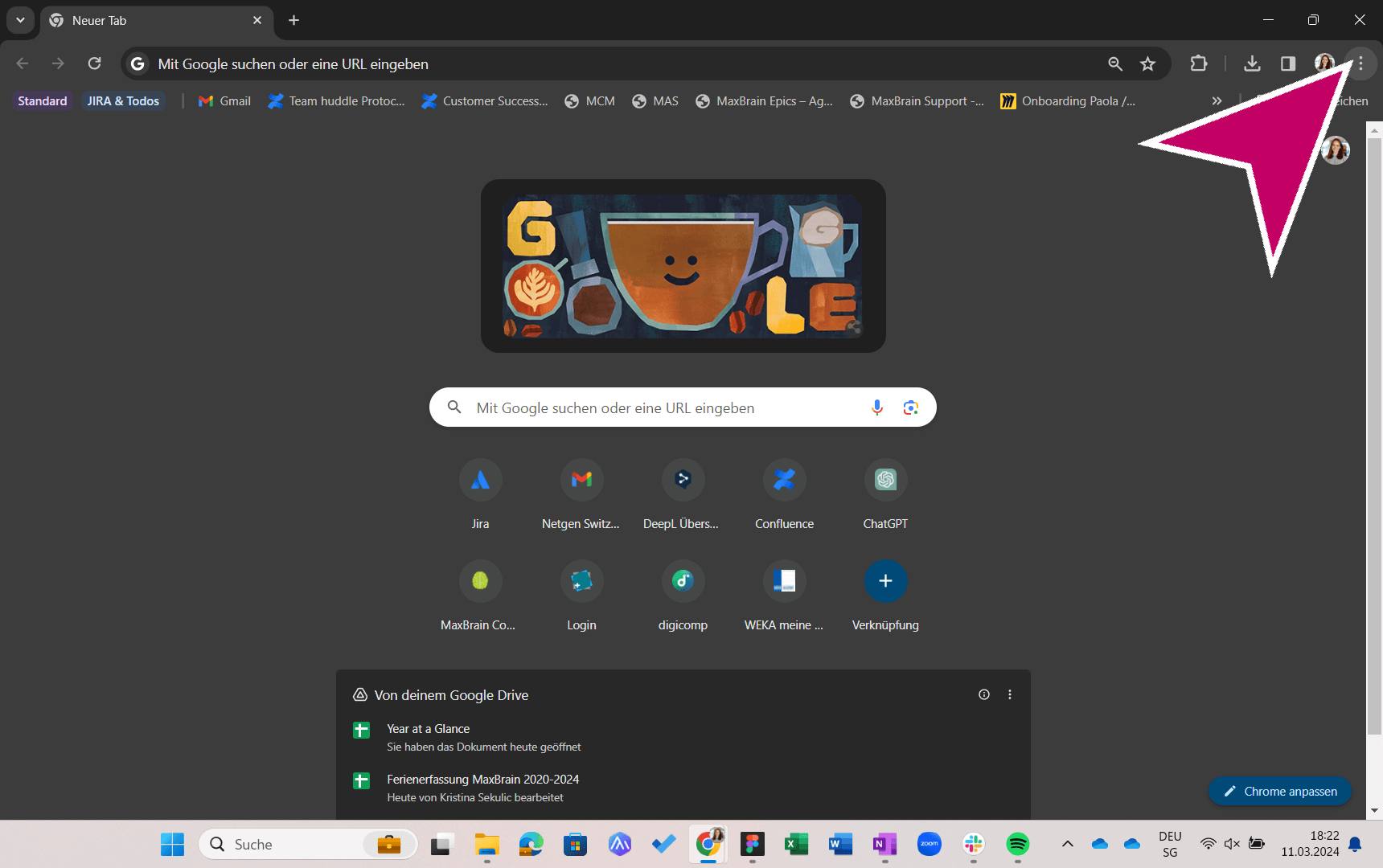
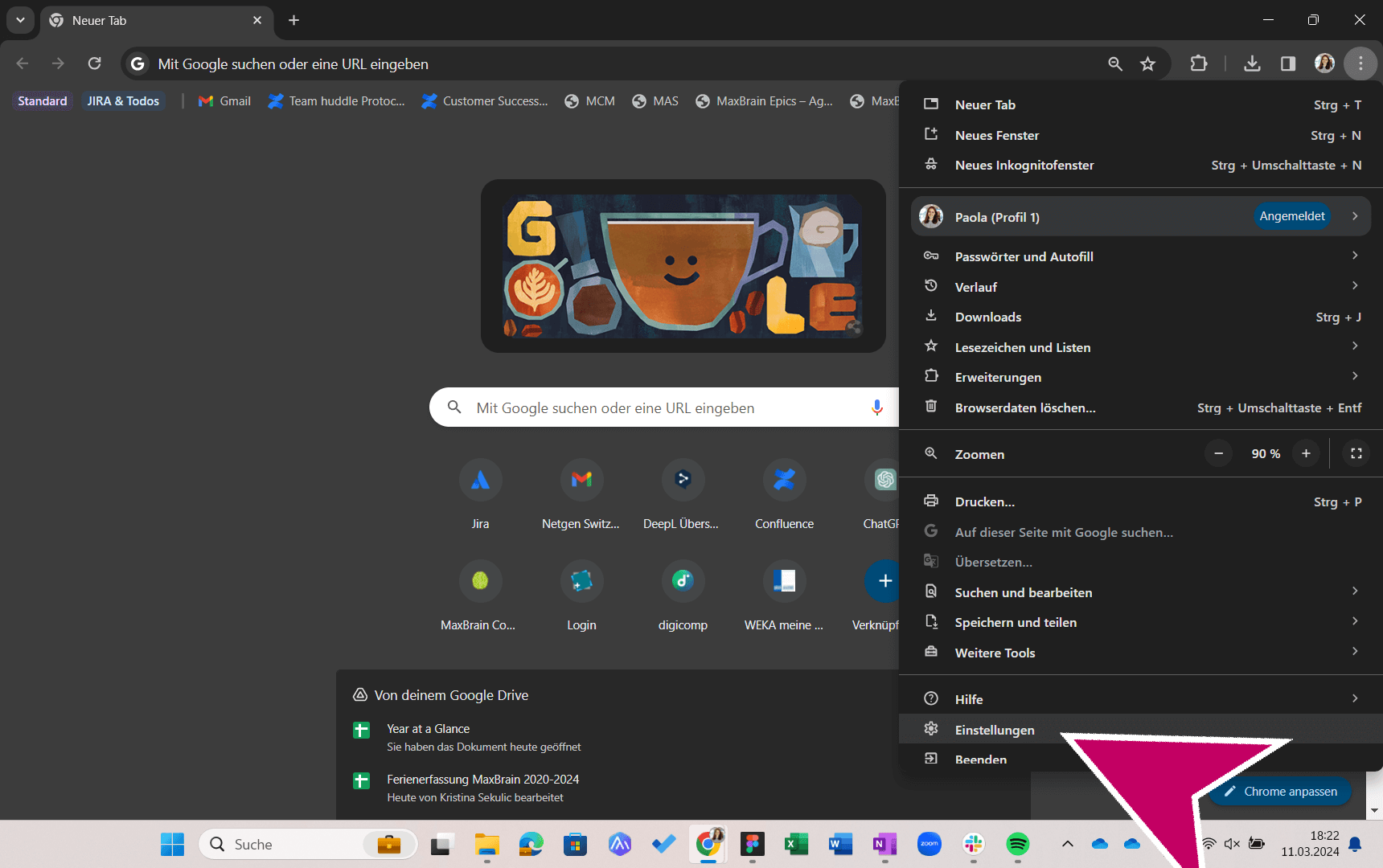
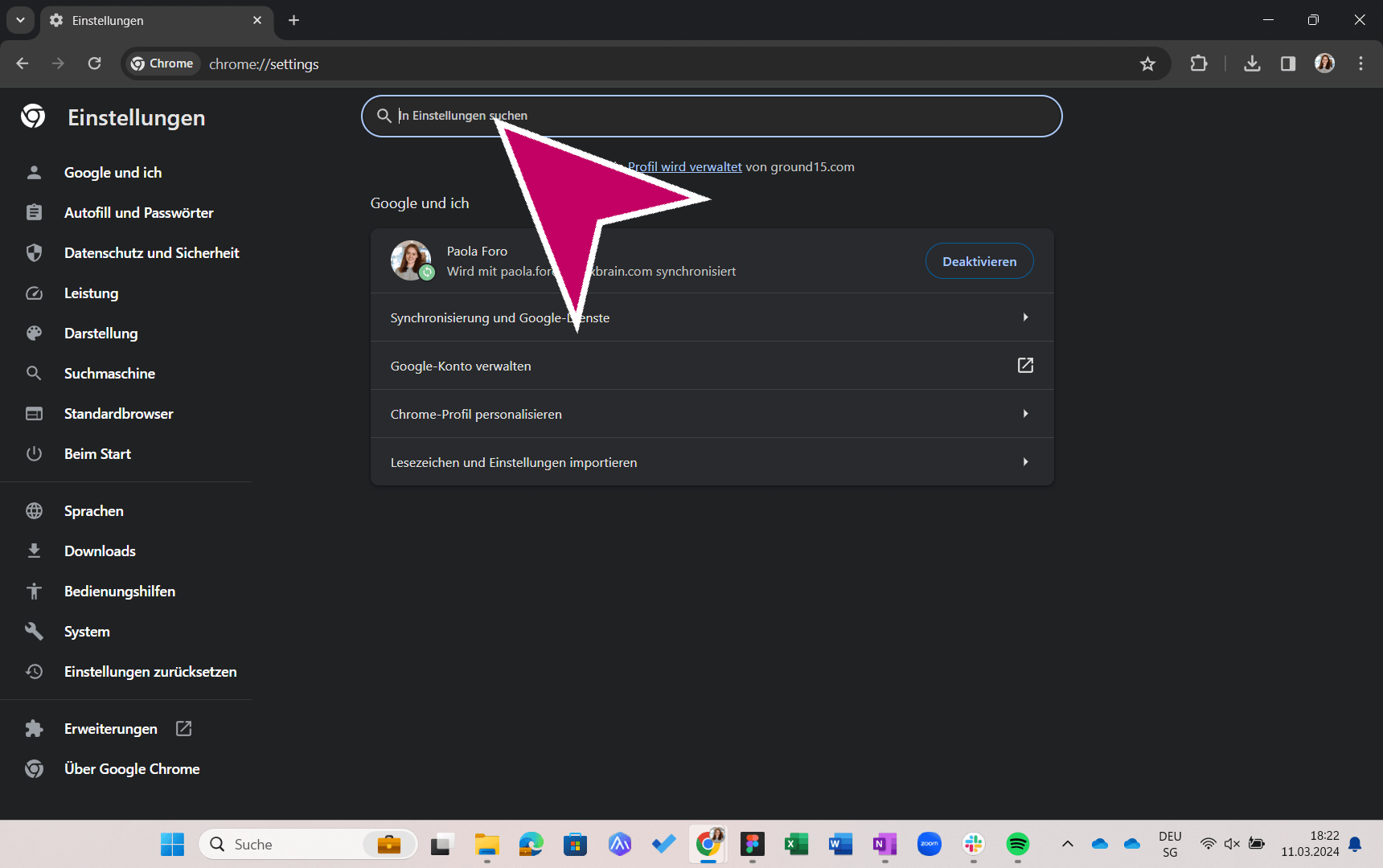
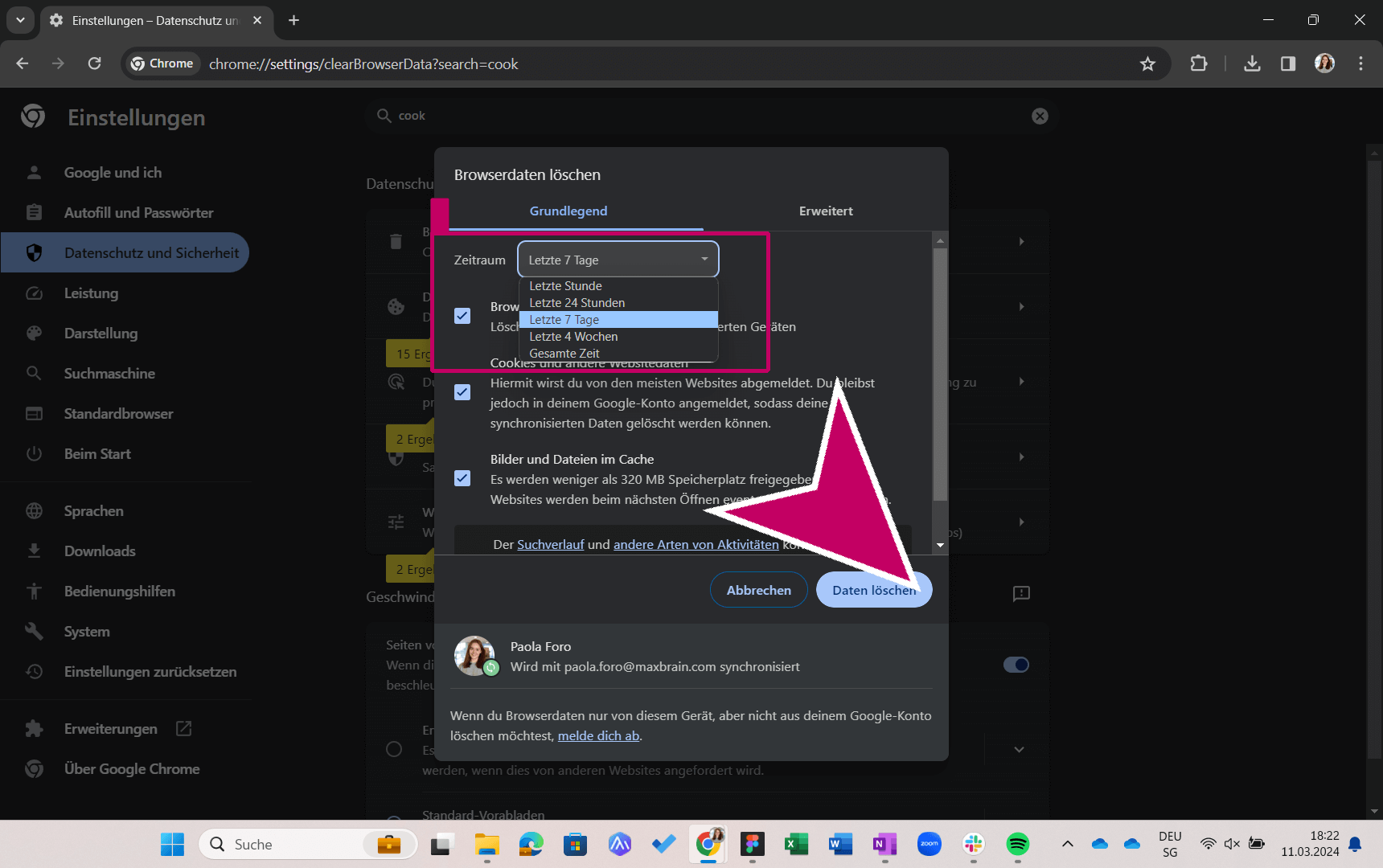
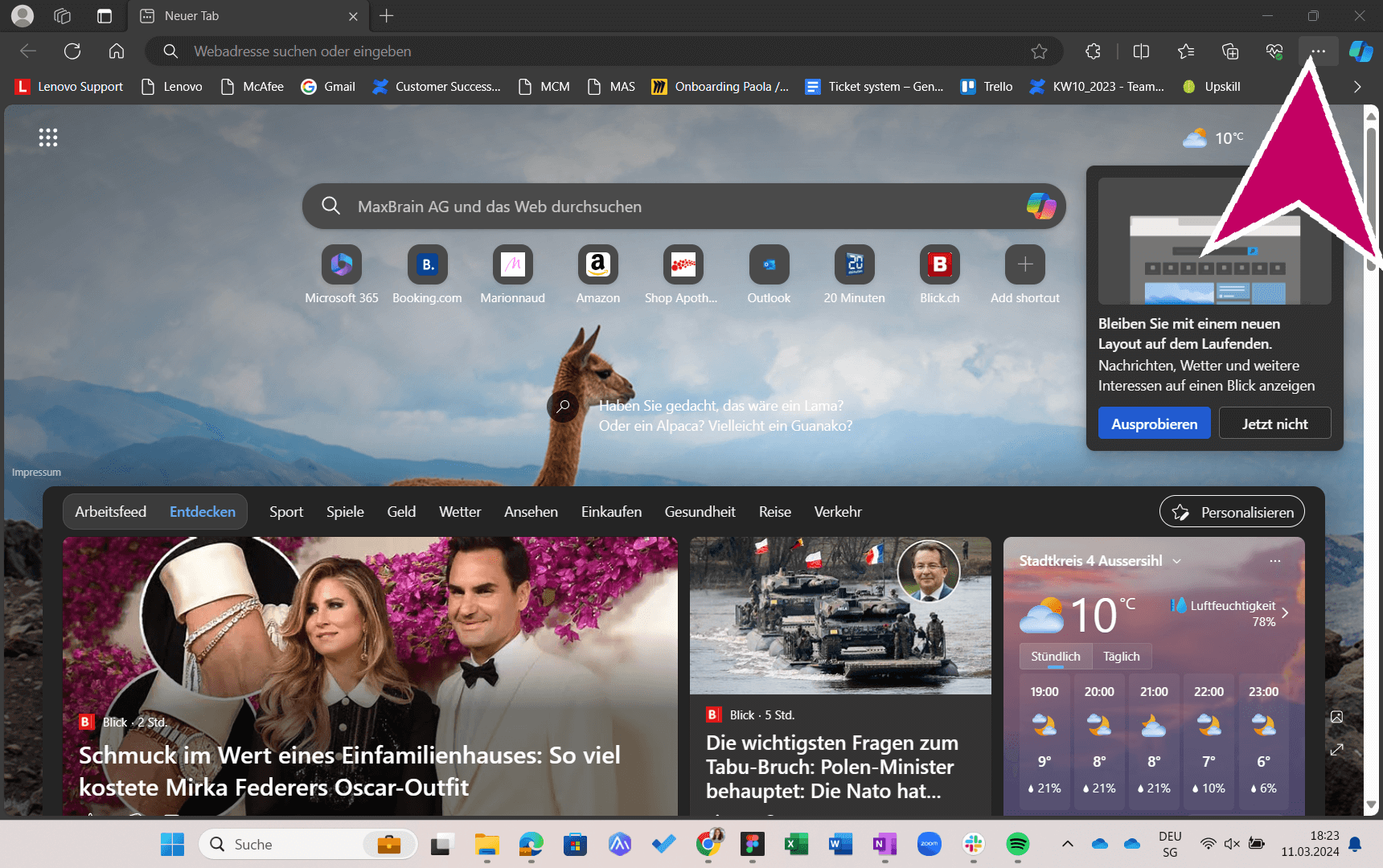
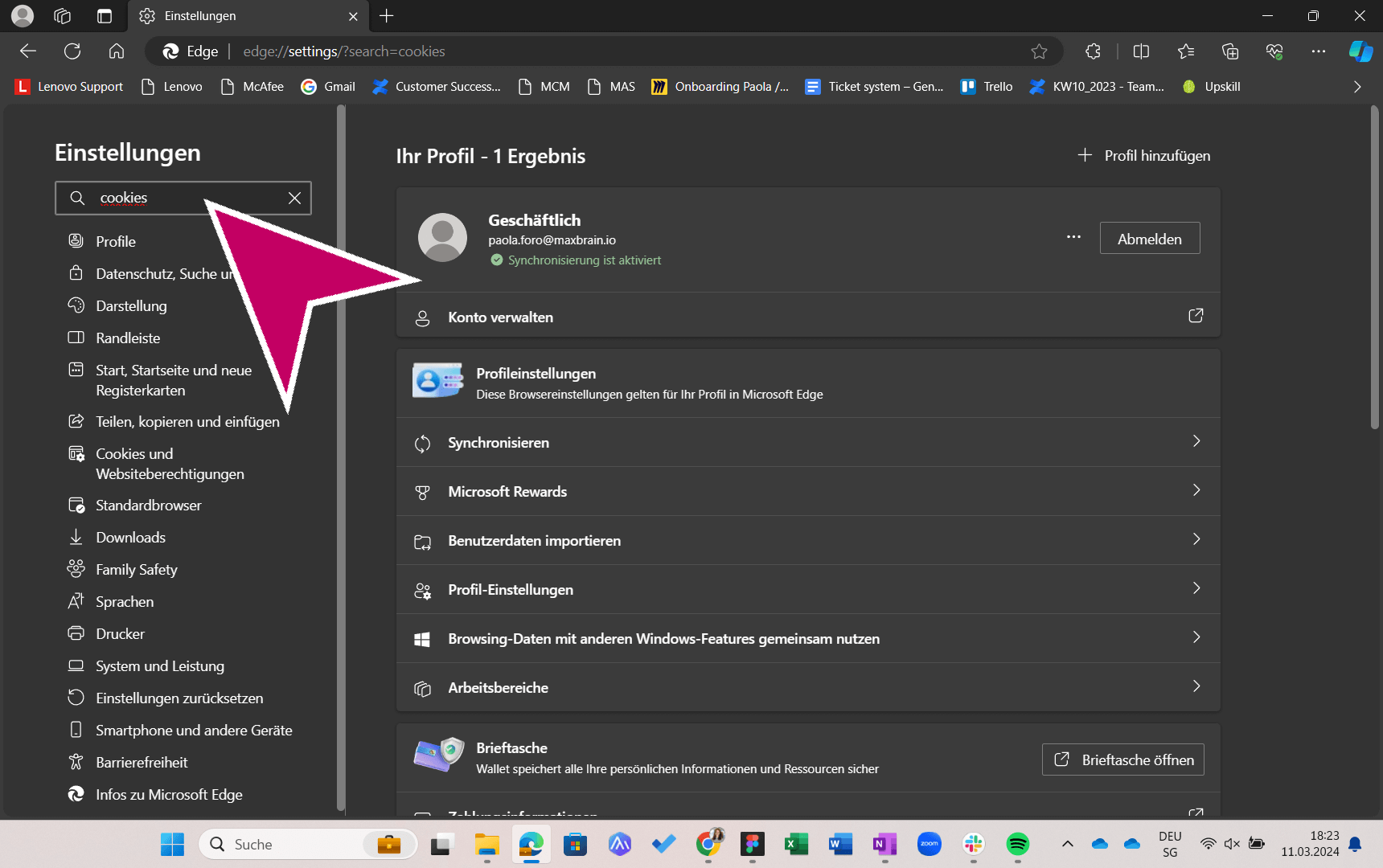
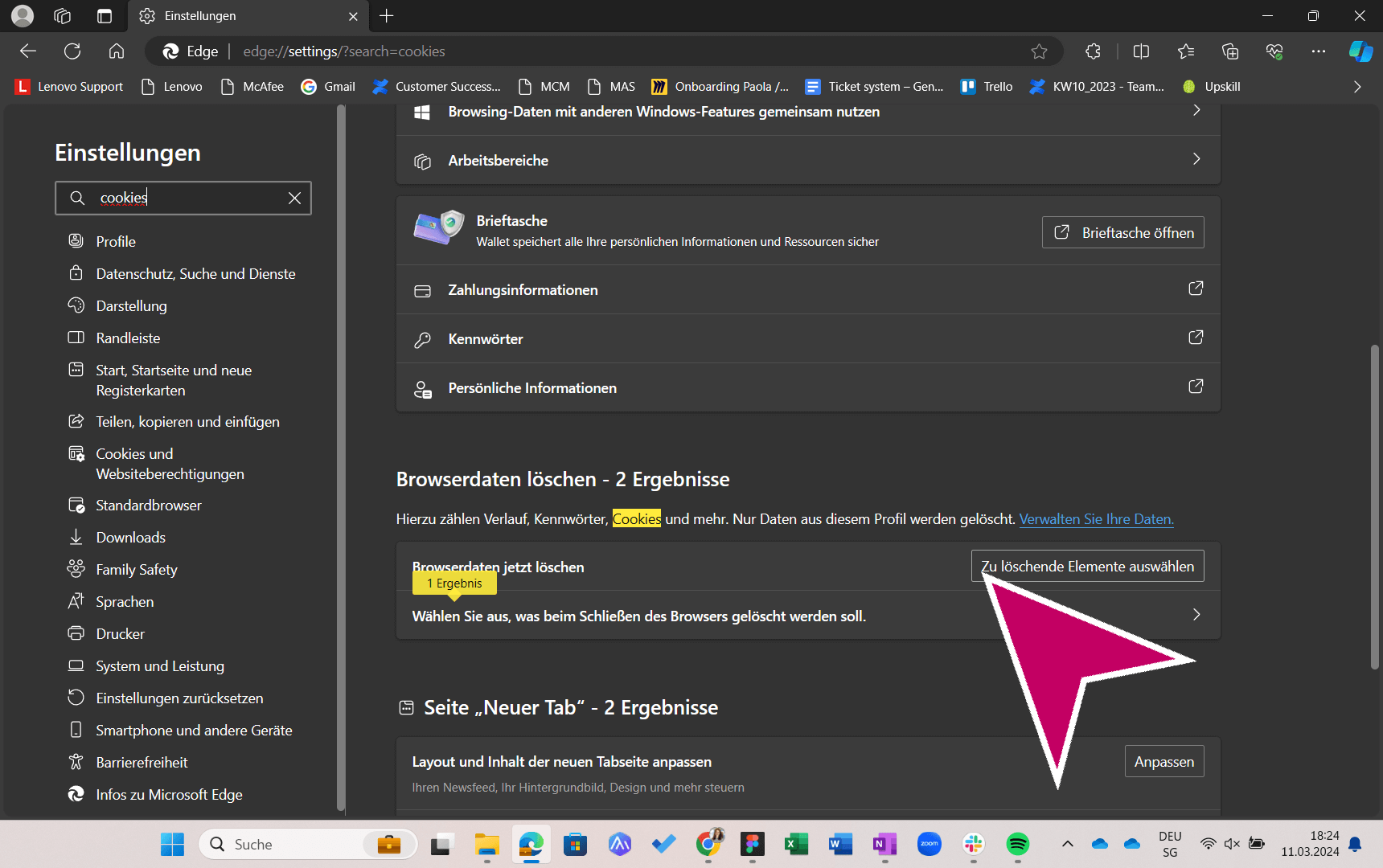
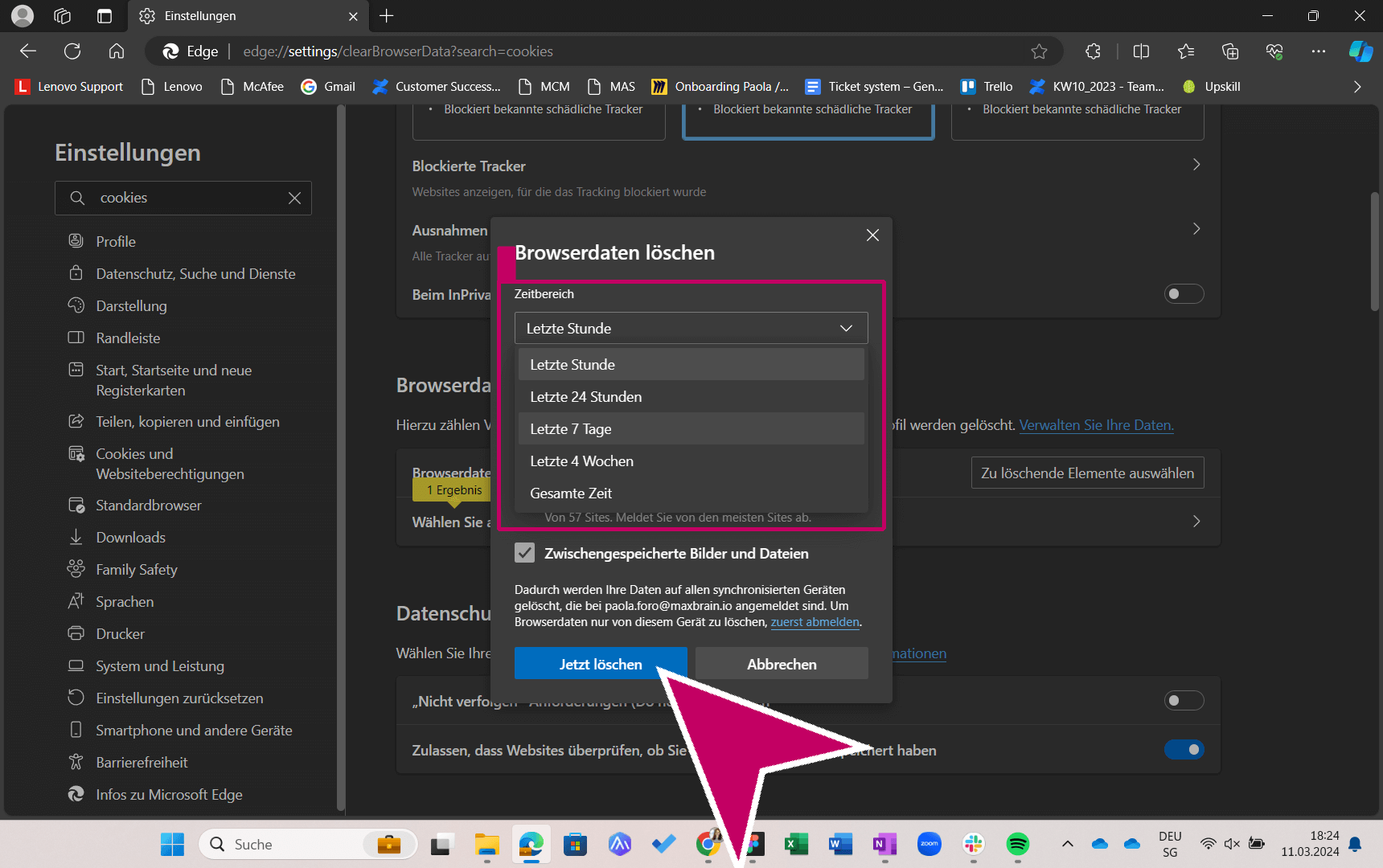
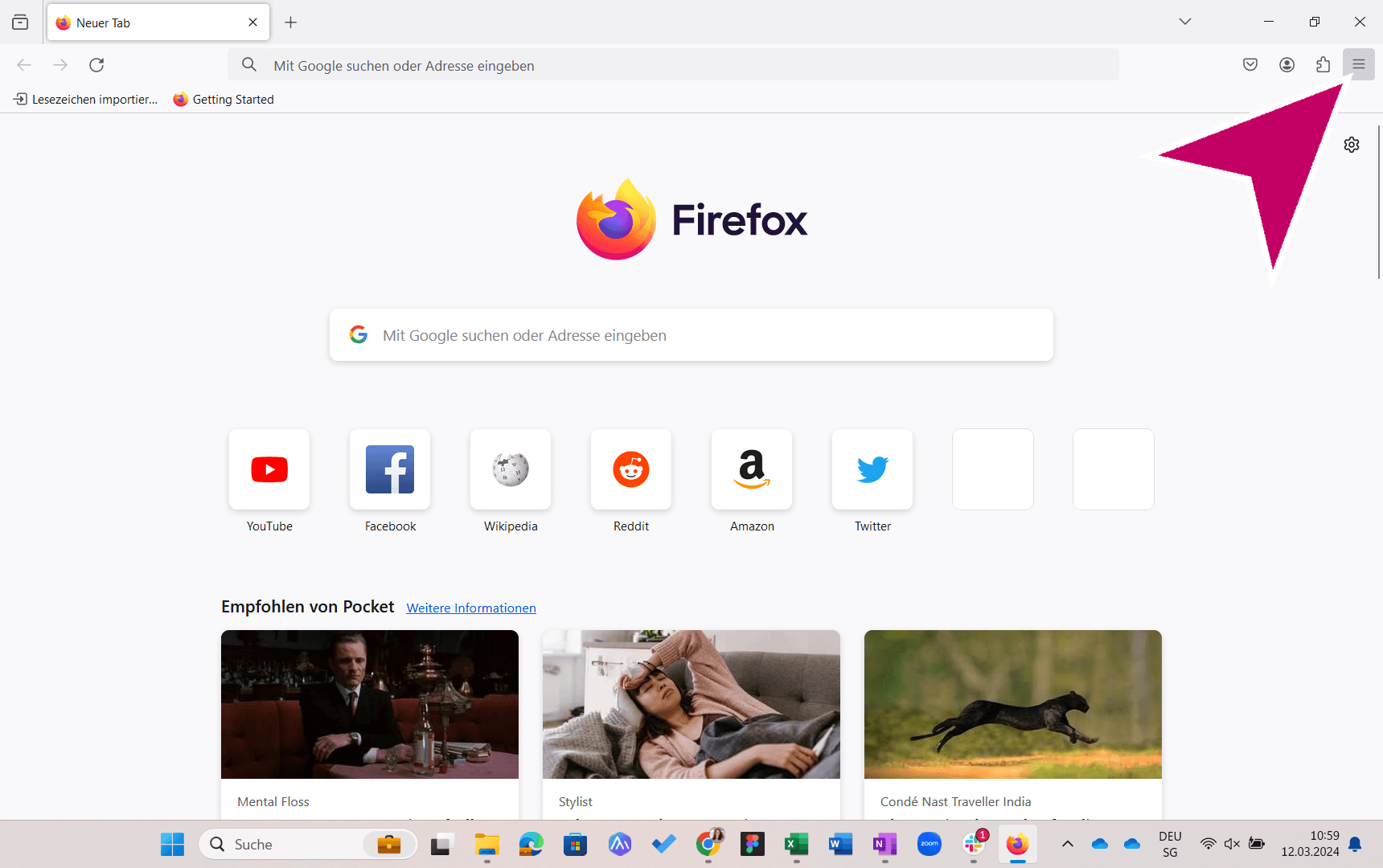
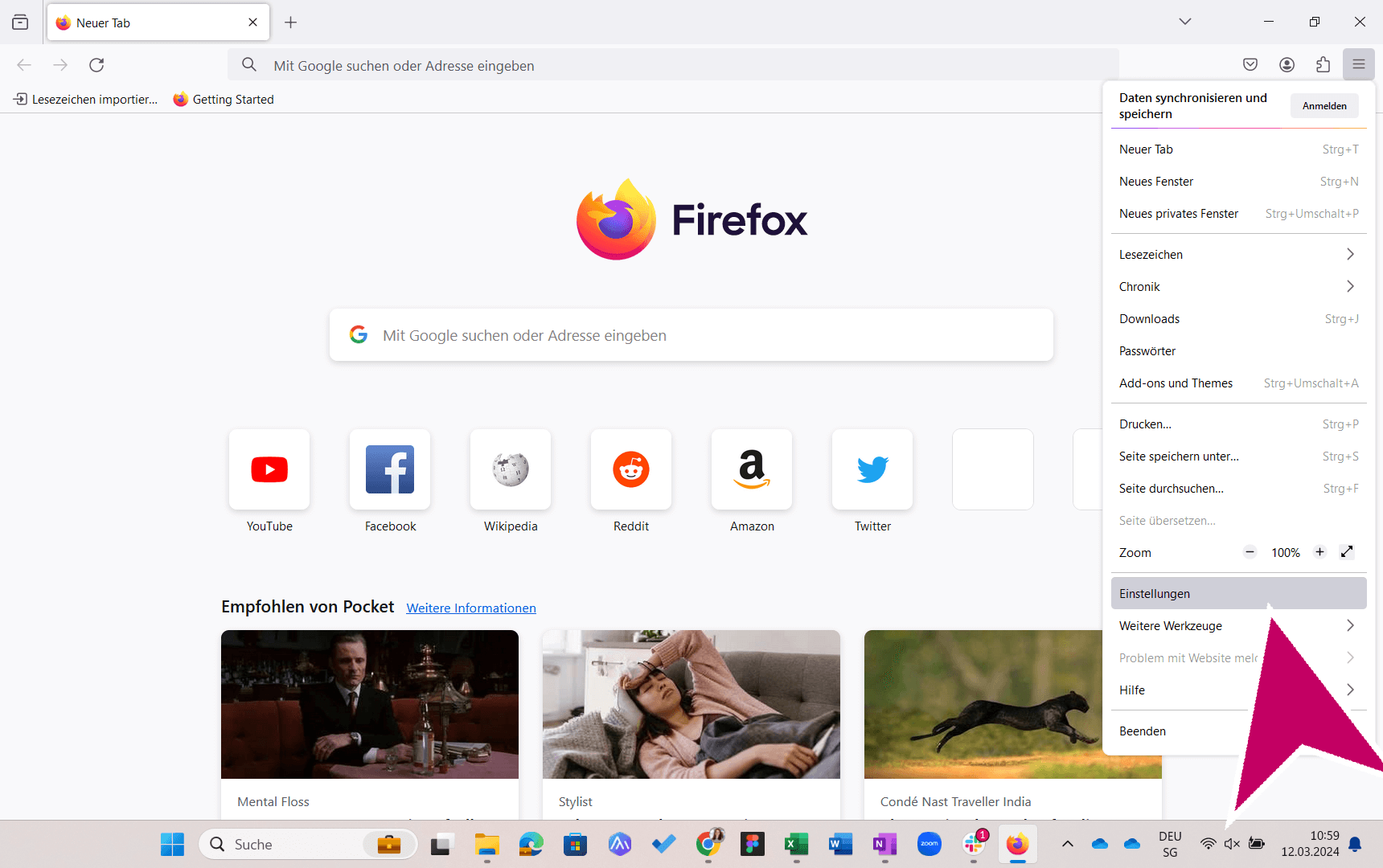
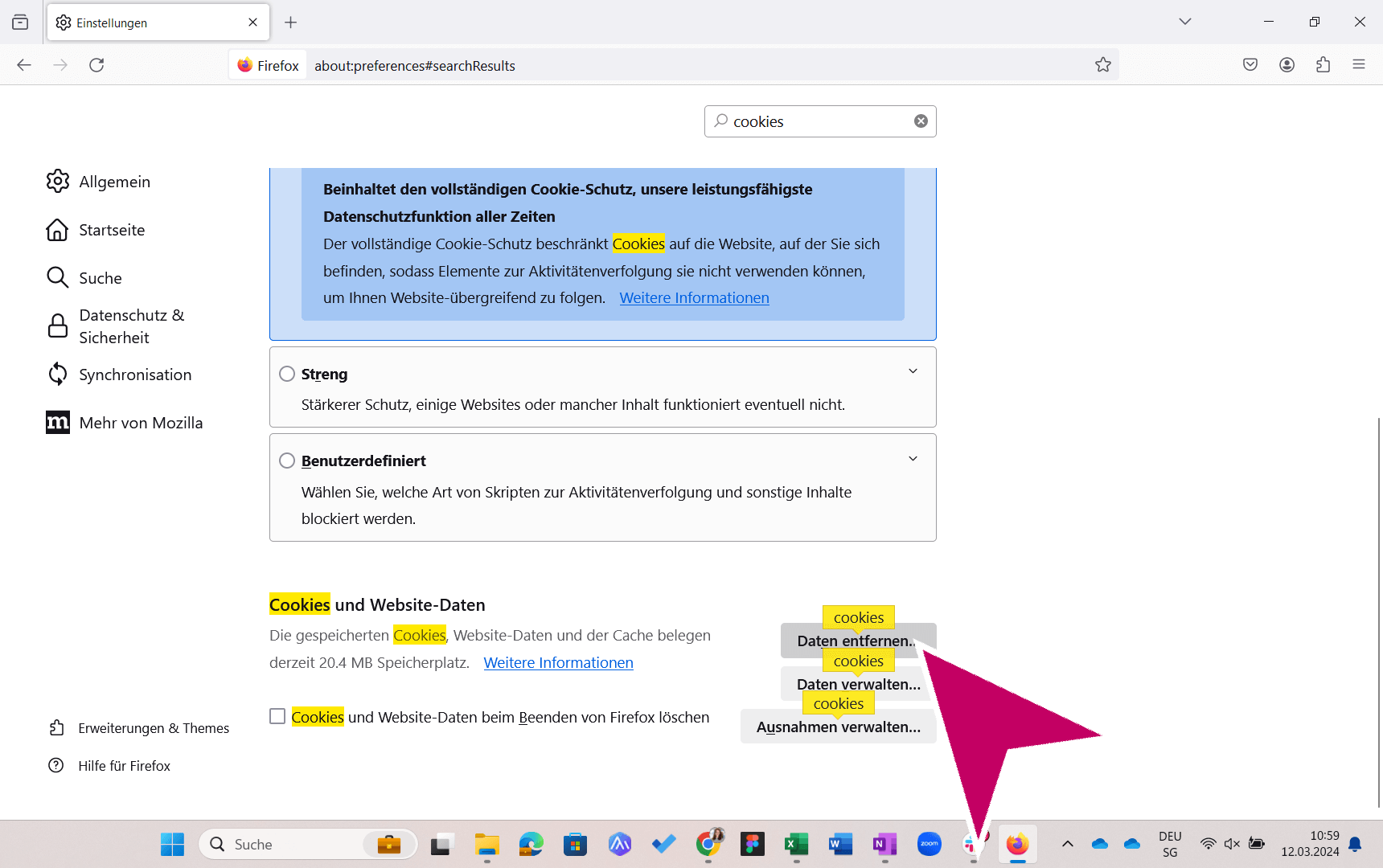
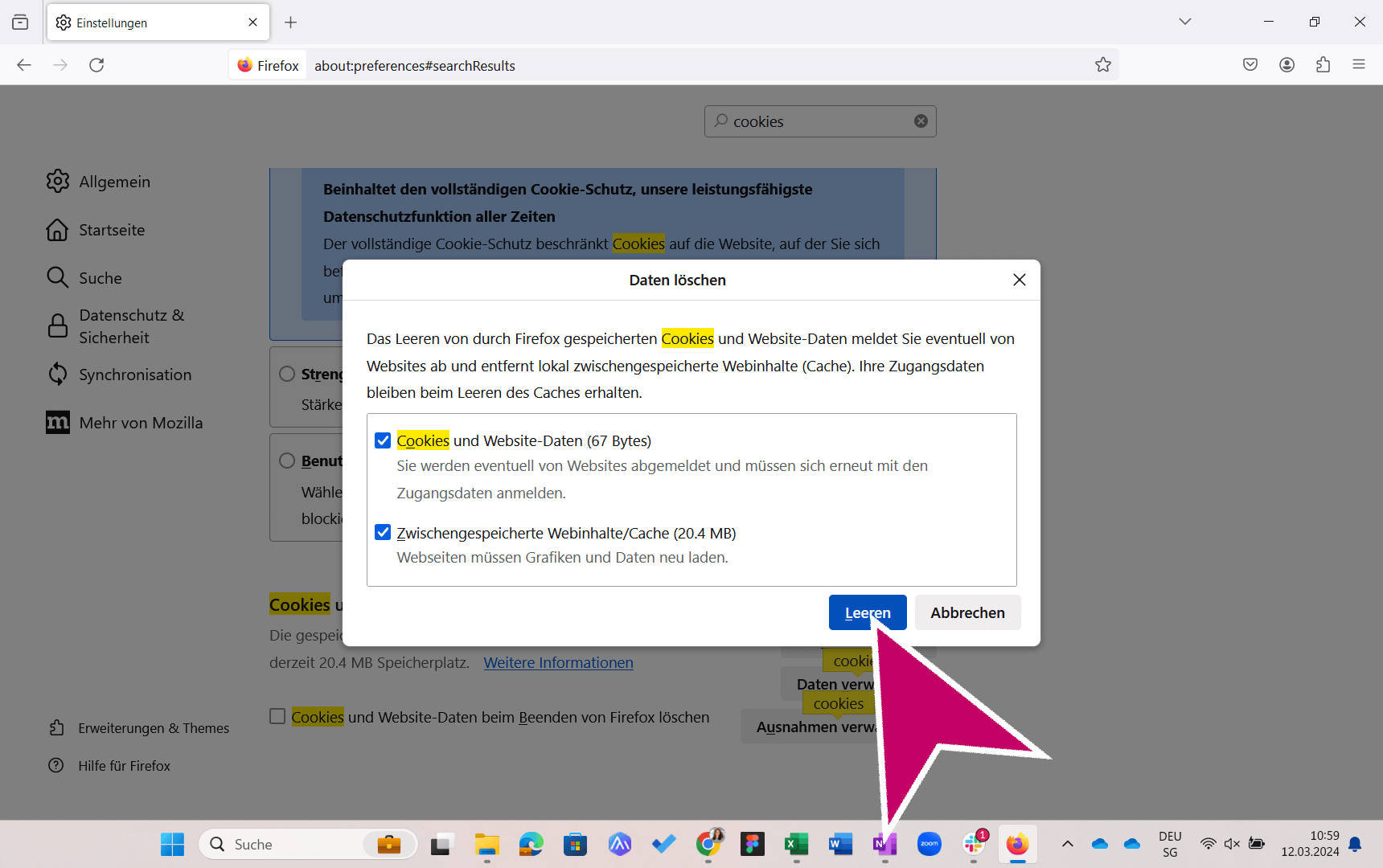
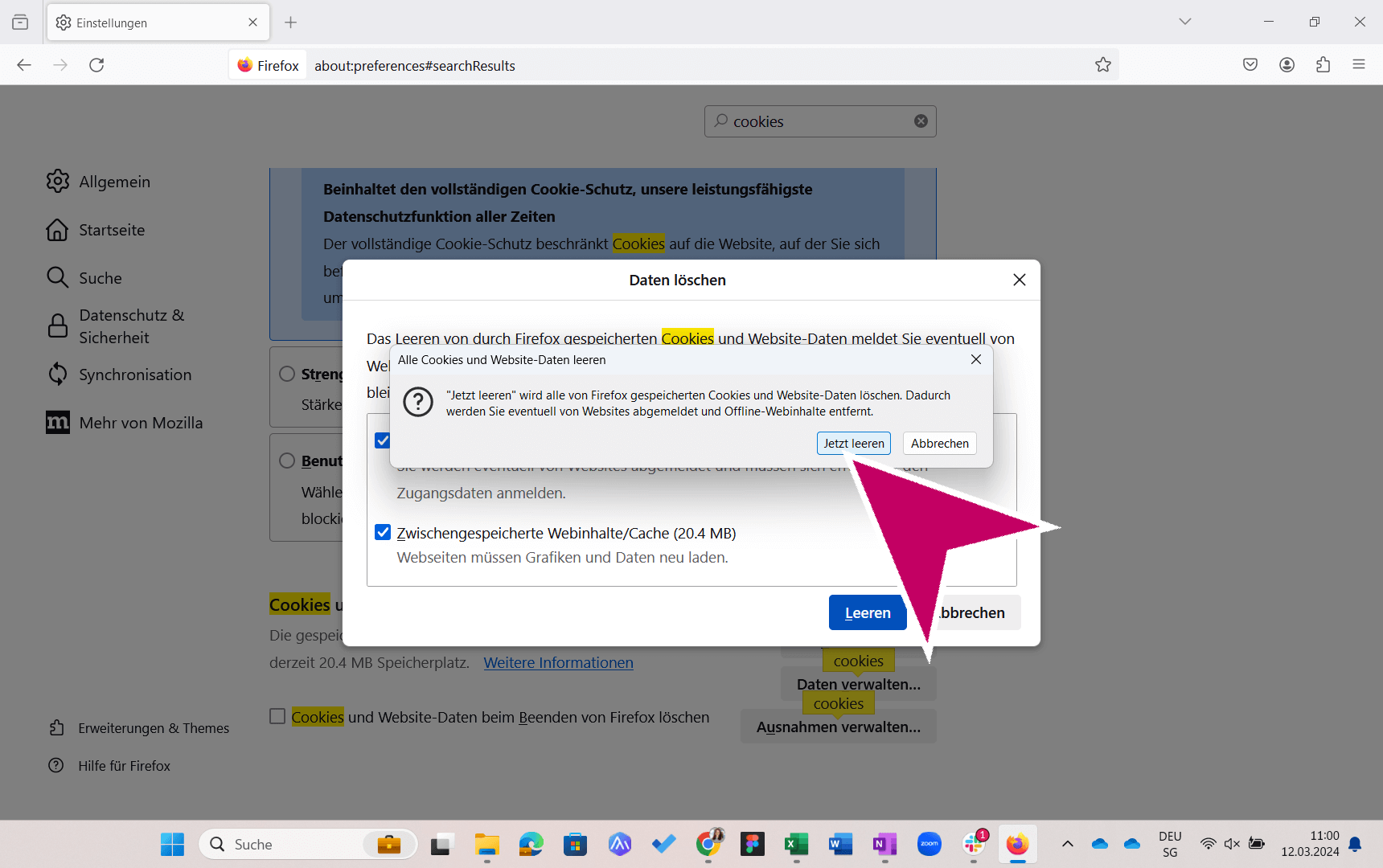
If a button on the platform isn't responding or something isn't displaying correctly, it's likely because too much browser data has been cached. In these cases, our support specialists recommend deleting cookies and clearing the cache in your browser settings :
Click the arrows to proceed to the next steps.
Click on the image to enter full-screen mode.
First image carousel for Chrome. See below for other browsers.